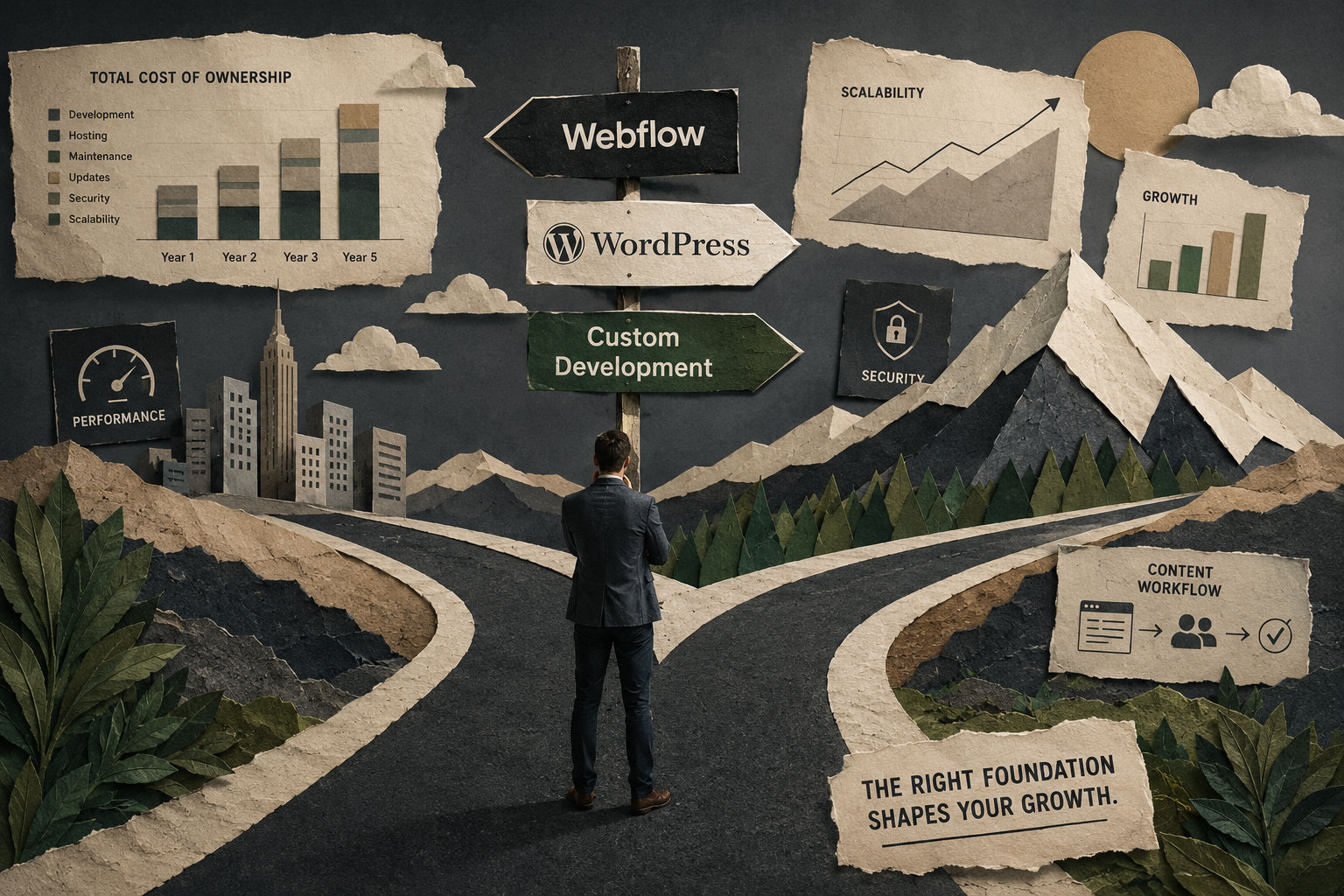
Many business owners focus on design, templates, or features before considering the foundation that will support their website for years to come. While appearance matters, the platform behind the site has a much greater impact on scalability, maintenance costs, content management, and long-term growth. The debate around webflow vs wordpress continues because both platforms can produce professional websites. At the same time, custom-built solutions remain the preferred option for businesses with unique requirements or complex digital ecosystems.
There is no universal winner
The right choice depends on your business stage, internal resources, growth plans, and operational needs. Rather than comparing platforms through feature lists, it is more useful to evaluate them through four business-focused factors:
- Total cost of ownership.
- Scalability.
- Content workflow.
- Developer dependency.
Understanding these areas will help you set realistic expectations from your new website and choose a foundation that supports long-term business goals.
Webflow vs WordPress: Looking Beyond Features
Most conversations about webflow vs wordpress focus on plugins, templates, or ease of use. While those factors matter, they rarely determine whether a website becomes a valuable business asset. A more strategic approach is to evaluate how each platform affects growth, efficiency, and future flexibility.
Webflow emphasizes visual development, streamlined maintenance, and a controlled ecosystem. WordPress prioritizes flexibility and access to a massive library of plugins and integrations. Neither approach is inherently better. The right decision depends on how your business plans to evolve over the next several years.
Total Cost of Ownership
The cost of a website extends far beyond the initial build. Businesses must also account for hosting, maintenance, updates, security, troubleshooting, and future improvements. WordPress often appears more affordable at first. However, ongoing plugin management and maintenance can increase costs over time, especially as websites become more complex. When evaluating webflow vs wordpress, many organizations discover that long-term ownership costs can differ significantly from initial development costs.
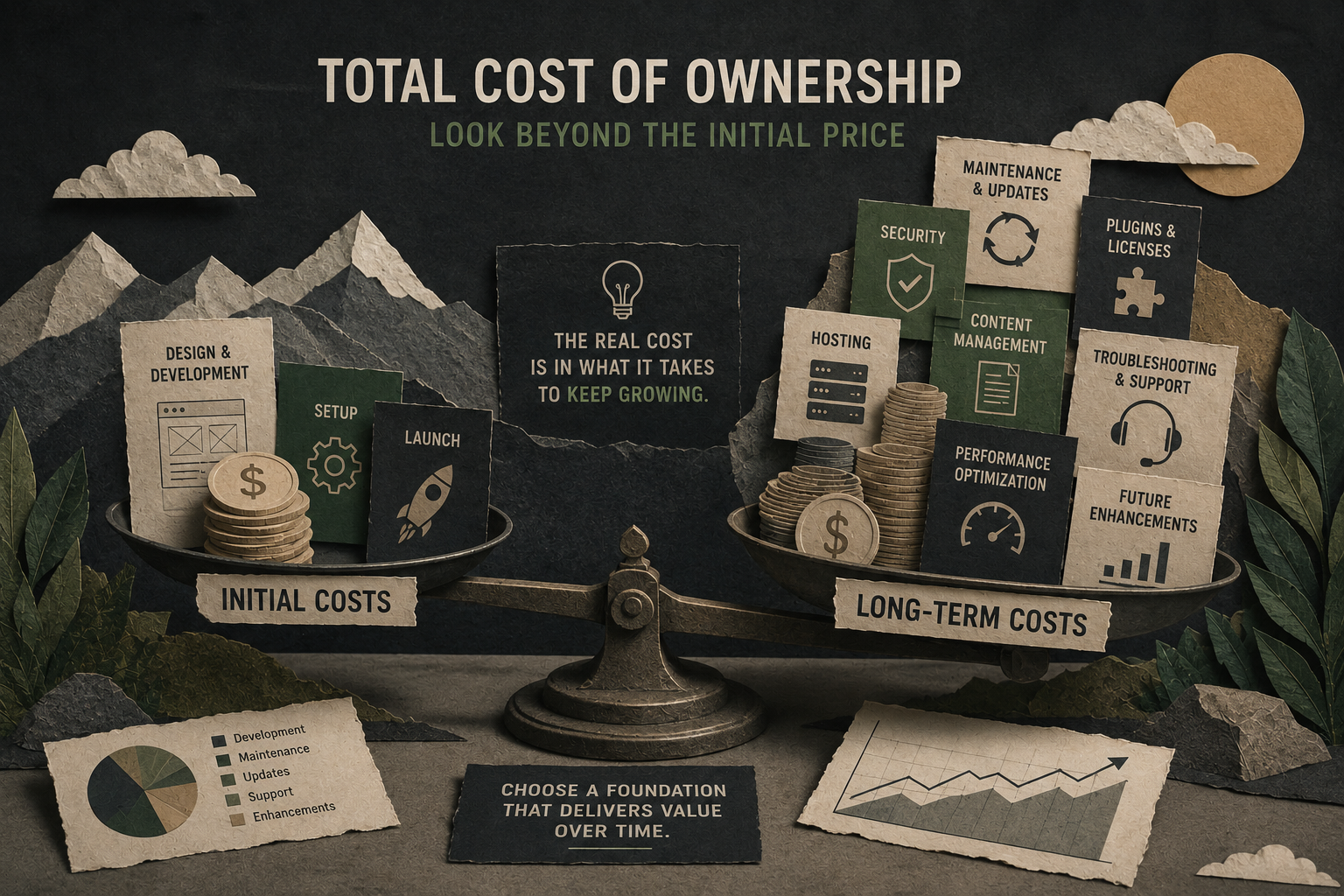
Webflow simplifies many technical responsibilities by combining hosting, security, and platform updates within a single ecosystem. This often reduces maintenance requirements and technical overhead. Custom websites typically require the highest upfront investment. However, they can provide strong long-term value when businesses need functionality that standard platforms cannot efficiently support. When comparing costs, consider:
- Initial development.
- Hosting expenses.
- Security management.
- Maintenance requirements.
- Future upgrades.
- Developer support.
Platform decisions can also influence long-term SEO performance, particularly when site speed, technical maintenance, and content publishing efficiency become priorities.
Scalability: Preparing for Future Growth
Scalability is about more than handling traffic. It includes the ability to support new services, integrations, content structures, and business processes as your company grows. Both WordPress and Webflow can support growth for most businesses. The difference usually appears when requirements become more complex and highly specialized. This is where the discussion around webflow vs custom becomes relevant.
A custom-built website offers virtually unlimited flexibility because it is designed around specific business objectives rather than adapting existing systems. The tradeoff is increased complexity and a larger investment. The key question is not whether a platform supports your business today. It is whether it can support your business three to five years from now.
Content Workflow and Team Efficiency
Marketing teams regularly publish content, update landing pages, launch campaigns, and refine messaging. The easier these tasks become, the faster a business can respond to opportunities. A well-structured content workflow also makes ongoing website design and development decisions easier, allowing businesses to evolve their online presence without rebuilding their entire digital infrastructure. This is another reason companies evaluate webflow vs wordpress from an operational perspective.
WordPress supports highly customizable publishing workflows, while Webflow prioritizes simplicity and visual editing. Many teams appreciate being able to update pages without relying on developers for every change. Before choosing a platform, consider:
- How often content will be updated.
- Who will manage the website.
- Whether multiple contributors are involved.
- How frequently landing pages will be created.
- The level of marketing team independence required.
Webflow vs Custom: Understanding Developer Dependency
One factor that businesses frequently overlook is developer dependency. Every company wants flexibility, but few want to rely on developers for routine updates. When comparing webflow vs custom, control is often the biggest differentiator. Webflow allows marketing teams to manage many day-to-day tasks internally. Content updates, page creation, and minor design changes can often be handled without technical assistance.
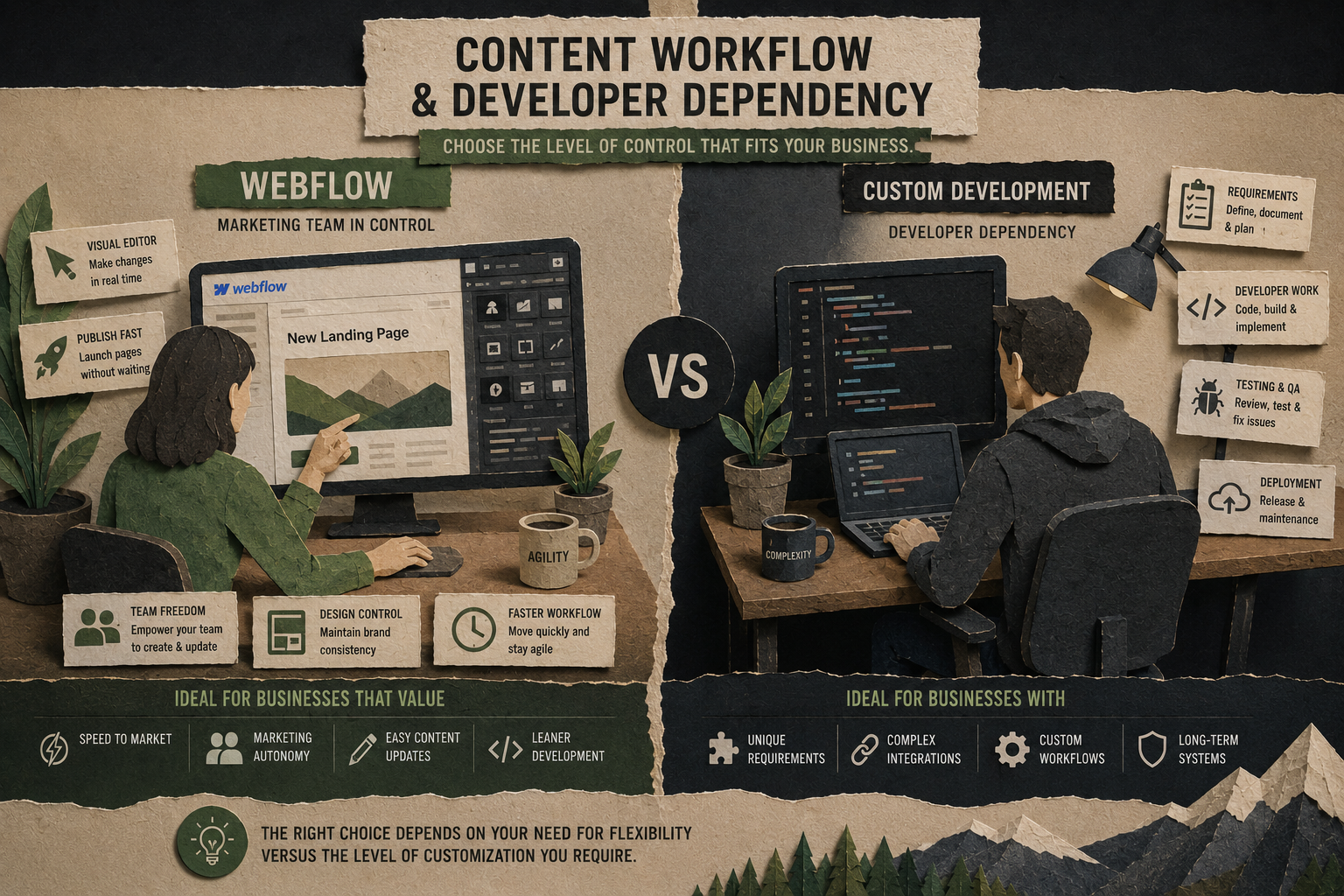
Custom solutions provide maximum flexibility but typically increase reliance on developers. Depending on the architecture, even small changes may require technical expertise. That does not mean custom development is the wrong choice. Examples where custom development often makes sense include:
- Proprietary software platforms.
- Customer portals.
- Membership systems.
- Advanced integrations.
- Highly customized user experiences.
Understanding when to use custom website development is critical. If your website functions as a core business tool rather than a marketing asset, a custom solution may deliver greater long-term value.
Matching the Foundation to Your Business Stage
The best website projects begin with business goals rather than platform preferences.
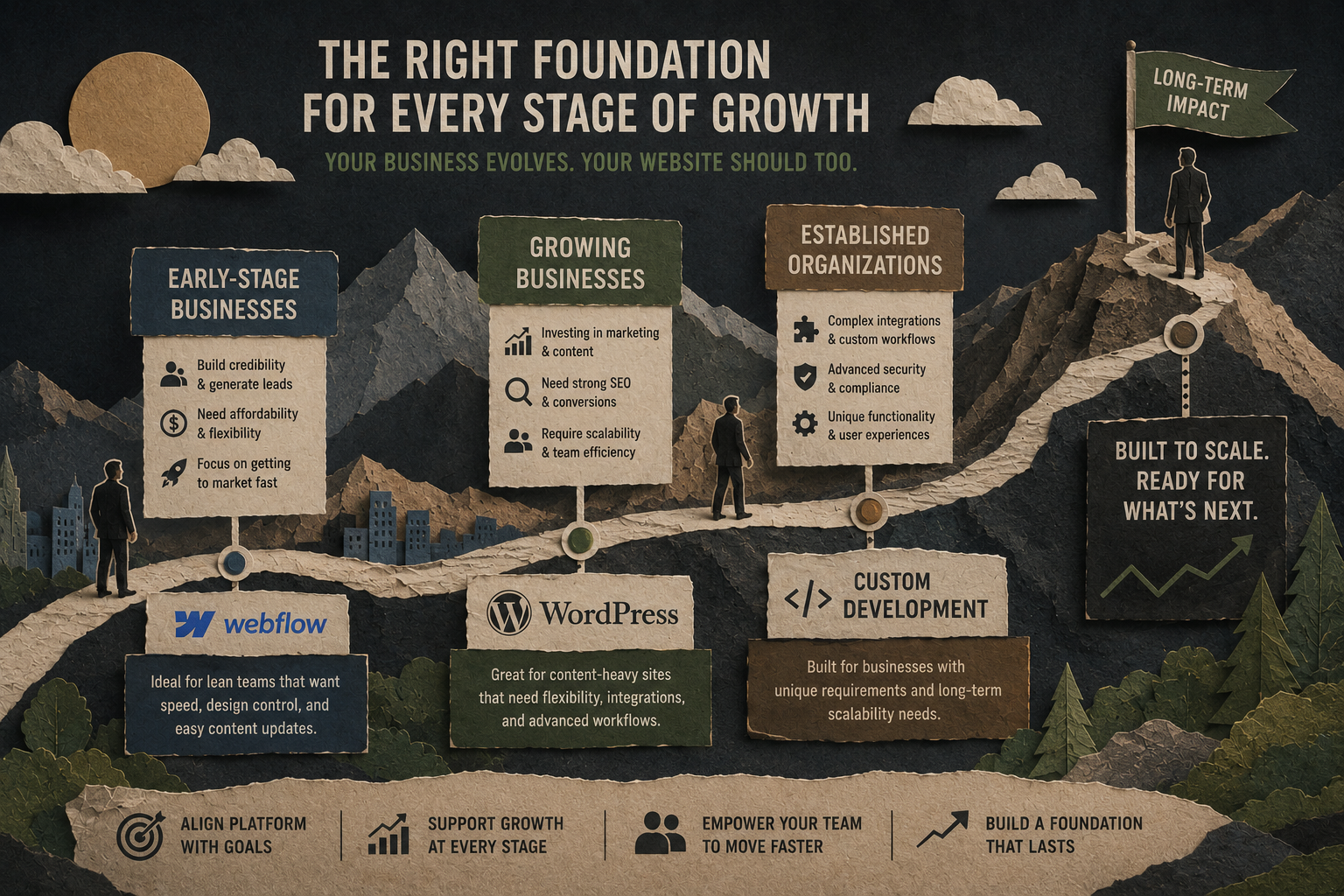
Early-Stage Businesses
Companies focused on building credibility and generating leads often benefit from platforms that balance affordability, flexibility, and ease of management.
Growing Businesses
Organizations investing heavily in marketing typically need:
- Faster content publishing.
- Stronger SEO capabilities.
- Better conversion optimization.
- Greater scalability.
Businesses at this stage are often increasing investments in digital marketing, making platform flexibility and content management even more important. At this stage, both Webflow and WordPress can be effective depending on operational priorities.
Established Organizations
Larger businesses often require advanced integrations, custom workflows, and specialized functionality. This is where webflow vs custom becomes a more important consideration, particularly when websites must connect with existing systems and support more complex operations.
Which Option Delivers the Best Business Value?
There is no single winner in the website platform debate. Webflow is often attractive for businesses seeking:
- Faster development timelines.
- Reduced maintenance.
- Strong design control.
- Greater marketing autonomy.
WordPress remains valuable for organizations needing:
- Extensive customization.
- Large plugin ecosystems.
- Advanced publishing workflows.
- Broad developer availability.
Custom solutions excel when businesses require functionality that standard platforms cannot efficiently provide. Even companies exploring WordPress alternatives should focus less on popularity and more on operational fit. The best CMS for business website projects is the one that aligns with your goals, resources, and growth strategy.
What is the best choice once we draw the line?
Choosing between Webflow, WordPress, and a custom-built solution is ultimately a business decision, not a technical one. The most successful websites are built on foundations that support growth, streamline operations, and adapt to changing business needs. Whether you are evaluating webflow vs wordpress for a marketing-focused website or considering webflow vs custom for a more specialized solution, the right choice depends on balancing scalability, ownership costs, content workflows, and developer dependency.
At Jungle Creatives, we approach website design and development strategically. A website should do more than exist online. It should strengthen your brand, support digital marketing initiatives, improve SEO performance, and create measurable business value over time. Because the foundation you choose today can directly impact your ability to grow tomorrow.

%20(1).jpg)